Run an Existing Example
The Supabase team has provided us with a number of prebuilt examples show casing different features of Supabase. We will be using the Realtime Chat application with React to get Started.
Realtime Chat
Clone the repository
git clone https://github.com/shwosner/realtime-chat-supabase-react.gitOpen it in your favorite code editor. I am using VS Code.
code realtime-chat-supabase-reactMake a copy of the
.env.examplefile and rename it to.env.Replace
VITE_SUPABASE_KEYwithanon keyandVITE_SUPABASE_URLwithAPI URLRun
npm installdo download dependencies.In the Supabase studio in your project go to the
table editorand create a new table calledmessageswith the following columns:Field Type id BIGINT username VARCHAR text TEXT country VARCHAR is_authenticated BOOLEAN timestamp timestamp
Alternatively, you can use the sql editor to create the table with following schema:
CREATE TABLE messages (
  id bigint GENERATED BY DEFAULT AS IDENTITY PRIMARY KEY,
  username VARCHAR NOT NULL,
  text TEXT NOT NULL,
  country VARCHAR,
  is_authenticated BOOLEAN DEFAULT FALSE,
  timestamp timestamp default now() NOT NULL
);
- Run the project
npm start - This will start the project at port
3000.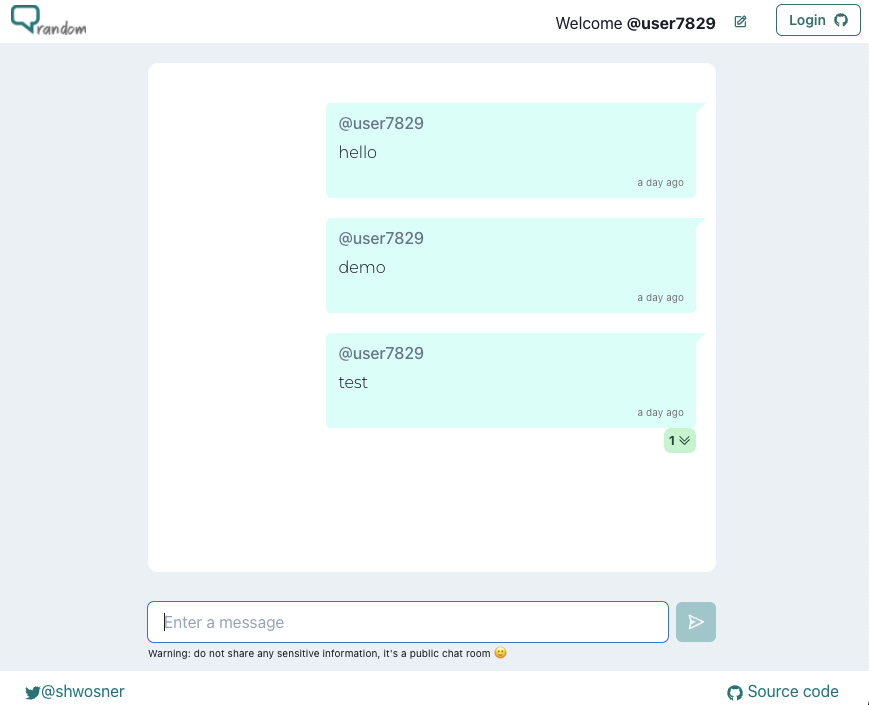
Making it realtime
- Right now the application is working but it is not real time. You can only see the new message by refreshing the page. This is because by default realtime is disabled for better performance and security. To enable realtime
- Go to Database > Replication in the Supabase Studio.
- Click on Table under source at the right side of the screen.

- Toggle the table you want to enable realtime for. In this case we enable
messages.
- Now if we refresh the page and send a new message we should see them show up realtime.